
The efficient allocation of working hours is critical for both the employee and employer. No matter if it’s keeping track of work hours daily, computing any overtime pay, or payroll processing, the precision matters. And here the work time clock calculator comes to help you. Using the work time calculator can save you plenty of time and effort spent on manual computations.
Today, it’s hard to imagine an office without software to speed up and ease work. This calculator is also one of the useful software tools. You will be able to track all your working hours very fast and therefore will save much time for other tasks. In this article, I will tell you everything about this calculator and how it works.
What is a work-hours calculator?
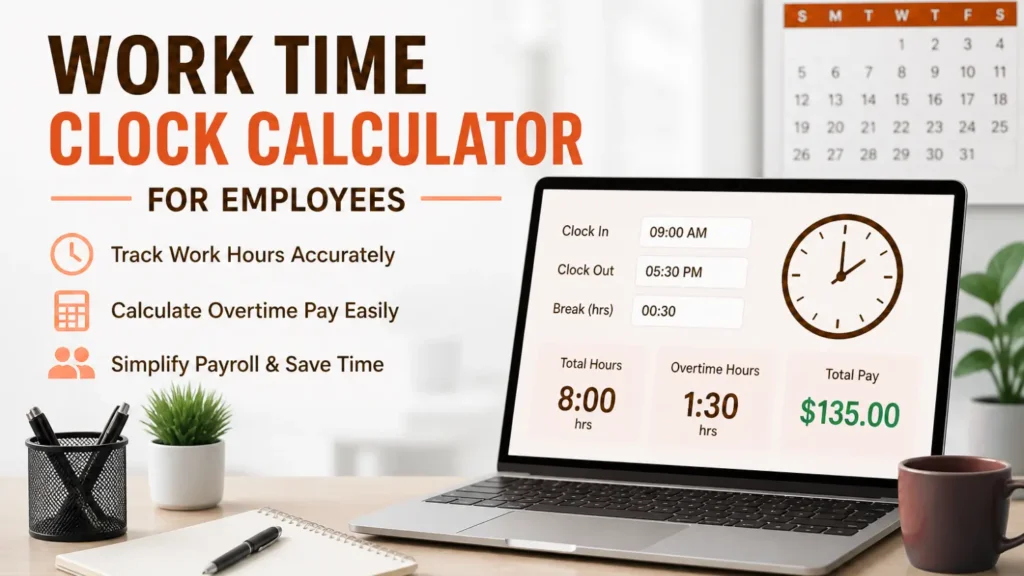
A work time clock calculator refers to either a computer software program or an online calculator used for computing the total number of hours that one works. To calculate the total working hours, the user simply inputs their starting time, ending time, and the duration of their break. The calculation will be done instantaneously and give you an exact sum of your total working hours. Rather than compute manually, which may be perplexing and error-prone. With the help of a calculator, all you have to do is input the values. It is crucial for those workers who keep track of their work hours daily.
Working Process
How to use a work time clock calculator is quite easy because most calculators employ a common method. The process involves entering the starting time of your working period. After that comes the end of the period. Finally, you enter your break time during your work shift. This is the unpaid time you take for breaks such as lunchtime or resting. After entering all details into the calculator, it automatically calculates your total hours of work.
Key Features of a Work Time Calculator
In addition to all these useful features, a modern calculator for tracking work hours is designed with many useful features that make the process of monitoring an employee’s working time more efficient and easier. Such calculators automatically calculate the number of hours worked by an employee. Thus, using them, you can easily find out your total work hours spent without making any effort in the calculations yourself. The calculator also takes into account the unpaid break time that the employee may have during their shift.
Overtime calculations are also made according to certain rules set in advance. Moreover, the calculator allows entering information about various time shifts. Furthermore, most calculators are very user-friendly and do not require any special knowledge to use them. In addition, they allow you to perform several tasks at once. These tools are very flexible and convenient in use. They can be used both on a desktop computer and on a tablet or smartphone.
Benefits of Using
1. Saves Time
Not only is the process of manually calculating work hours time-consuming, but there is also a high chance of making errors, especially if you are working long hours or have different shift hours. A work hours calculator will let you calculate accurately, freeing up your time for other tasks.
2. Improves Accuracy
Miscalculations are common when calculating time by hand, as there may be mistakes in the addition of the hours and minutes, as well as the breaks. A workplace time calculator solves the issue by performing the calculation automatically. It is very accurate and reliable as well as consistent.
3. Simplifies Payroll Processing
Employers can easily calculate the time employees spend at work using a time calculator. It saves time and improves payroll organization.
4. Enhances Productivity
The software allows workers to monitor their time, enabling them to work uninterrupted by the need to record their hours. They will be able to concentrate on what they are supposed to do.
5. Easy Record Keeping
The tool is known for its ability to document working hours in an efficient and structured manner, allowing it to become easy to trace back past entries as and when needed. This will assist the users in maintaining proper documentation for payroll and other purposes.
How to Use a Work Time Calculator Effectively
For optimal use of the working time calculator, there are certain rules that one should follow, which will make the process efficient and increase accuracy. First, one should follow a set time. To avoid mistakes and confusion, use the same format, whether it’s 12 or 24 hours. It is also essential to inspect for any errors in the inputs, including starting and ending times and breaks, to ensure accurate results.
It is also important to record the time spent working daily, rather than assuming, because assumptions lead to inaccurate results. One must input any breaks in the calculation, as they are necessary in determining the total working hours. Lastly, it is critical to record the calculated working hours, either by printing or storing.
Common Mistakes to Avoid
Even if one uses the work calculator, mistakes can happen due to a lack of caution in using it. One error that people often make when using such a calculator is using the wrong format of time, thus giving a wrong result. Omission of break time is another mistake that occurs regularly when using the calculator. Inclusion of the break time without subtracting it from the total hours worked gives an exaggerated number of working hours. People who tamper with the result of a calculation without validating their changes make mistakes. Failure to keep daily records is another mistake that users make.
Conclusion
The Work Time Clock Calculator is a highly advanced but easy-to-use time clock calculator that can easily simplify your job in calculating time spent in the workplace. No matter if you are working for someone else or having your own freelance business, this time clock calculator can easily organize your work hour calculations and make sure there are no mistakes involved.
It automatically performs all work hour calculations in a highly accurate manner, thus saving your time and relieving stress caused by manually performing work hour calculations. With advances in technology, calculators have become even more effective tools to help people perform their tasks efficiently. Today’s work time calculators do not only calculate time, but they also offer much more than that.
FAQ’s
Q1. Is the work time calculator more advantageous than manually calculating?
Yes, since the former is quicker, more accurate, and far simpler to apply than manual calculations.
Q2. Would it be possible to record different shifts within a single day?
Yes, most calculators support multiple entries so that you can add the time spent on each shift within a day.
Q3. Is it possible for freelancers to use a time clock calculator for their work hours?
Yes, freelancers can benefit from this tool by recording billable hours.
Q4. Is this time clock calculator compatible with smartphones?
Yes, most contemporary calculators are mobile-compatible or come as applications.
Q5. What would happen if I input the wrong figures?
Any erroneous entry will generate erroneous results. It is important to ensure correct input.