
Effective management of time is vital in both personal and professional spheres. Time tracking, payroll calculation, and productivity measurement require precision wherever you do that. This is the moment when a free time clock calculator becomes truly helpful. Using such a tool makes time management simple and error-free.
Living in the modern world means having access to a range of tools that can make our lives easier. In case you calculate hours manually, you may run into errors and spend extra time doing the calculations. That is why a time clock calculator is an effective tool for calculating work hours, overtime hours, break hours, and other time-related data. You will find all the necessary information in the following article.
What is a Free Time Clock Calculator?
A time clock calculator is an online calculator that helps users determine the time duration between two time periods, one being the start time period and another being the end time period. Employees, freelancers, managers, and even employers typically use it to monitor their working hours. Without having to do calculations manually, a time clock calculator will give you the duration between the two times you entered.
Reason to Use a Time Clock Calculator?
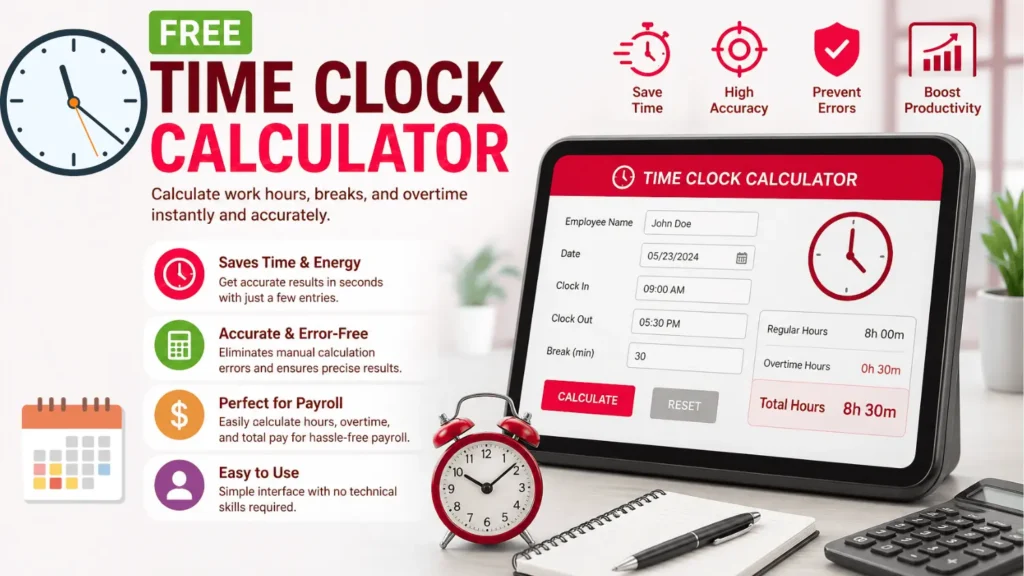
The use of a free time clock calculator allows you to save time and energy as it frees you from manual calculations, which can sometimes be quite cumbersome and tiresome. Just with a few entries, you get your desired results instantly and with high precision. Besides, it prevents errors caused by human faults because even a slight miscalculation in calculating time could result in wrong payments and other such hassles.
This time clock calculator is very handy for business purposes, as far as payroll computation is concerned, as it makes the calculation of hours and overtime tracking for employees straightforward without complicated spreadsheet systems. Moreover, this calculator is simple to use and does not require any technical know-how.
Key Features
1. Time In and Time Out
Provide the start and stop times of your work shift so that the calculator can automatically calculate the total number of hours you worked, saving your time and effort in doing the calculations manually.
2. Time for Breaks
You can also subtract break times, such as lunch breaks or even just resting for a bit during your work shift, and come up with the actual number of hours that you have worked.
3. Overtime Calculation
There are even some calculators that automatically do the overtime calculation depending on their preset rules, like the total hours per day and week.
4. More Than One Entry
Record different shifts or tasks in the same place and automatically calculate the total number of hours spent working. This will enable you to monitor your hours each day, week, or month, thus allowing you to manage your schedule more effectively.
5. Twelve Hours and Twenty-Four Hours Format
It is simple to switch from the 12-hour format to the 24-hour format based on personal preference.
How to Use
Calculating using the Time Clock Calculator is a very easy task since little effort is needed to do so, especially for those individuals who have not done such tasks before. Below are some easy steps to help you calculate using the time clock calculator:
Step 1 – Input Starting Time. Input the time at which you began working or doing an activity; be sure to use the correct format of time, whether it is AM/PM or 24 hours.
Step 2 – Input Ending Time. Input the time you finished working or doing the said activity; make sure to use the correct format, whether it is AM/PM or 24 hours.
Step 3—Input Break Time (optional). This step involves inputting the duration of your break time, such as lunch or resting time, to deduct the exact amount of time used for breaks from the total time.
Step 4 – Press the “Calculate” button to process your entered values, and the calculator will instantly generate the total hours worked, even deducting the breaks, ensuring that you receive your results fast, accurately, and without errors.
Step 5—Evaluate your results carefully by reviewing your total hours worked, even if there is any overtime or breaks deducted, to make sure all information is correct according to your work schedule.
Advantages Over Manual Time Tracking
With the time clock calculator, you will have a lot more accuracy since it does not have any room for mistakes made during manual calculation, especially when you have to calculate many different times. The calculator also saves you a lot of time since it only takes you a few seconds to achieve something that would take you a couple of minutes manually. The calculator does everything for you; just enter the info.
Common Use Cases
You can utilize the free time calculator for various purposes, including wage calculation. The calculator makes it easier for employers to calculate the amount of total time worked by employees and their wages. A time clock calculator can also help calculate the time spent on each task by freelancers or team members during a project. Another benefit of this calculator is that it can help in monitoring the attendance of workers because it creates an automatic record of time daily. This tool helps managers schedule shifts in the right way.
Tips for Accurate Time Tracking
To get the most precise output, you should be consistent, making sure to always enter your starting and finishing times. You need to consider any breaks you took during work (for example, lunch or a break for rest) and subtract them from your time to calculate your working hours precisely.
While being highly accurate in nature, the calculator should also be cross-checked to ensure there are no input errors resulting in inaccurate data output. Moreover, daily use of the calculator is also recommended, since tracking time on a regular basis is more efficient compared to simply remembering everything.
Limitations to Consider
Even if a time calculator is indeed advantageous, it can sometimes have some disadvantages, such as having less advanced functionality than paid apps, lacking cloud storage in some cases, and not being able to integrate with other systems all the time. However, these drawbacks are usually insignificant and should not affect its usability for everyday purposes. This is why the time clock calculator still remains a viable choice for most people.
Future of Time Tracking Tools
Because of technological developments, time trackers have become smarter and more efficient over the years. Most time trackers nowadays have built-in capabilities like automation, cloud computing, smartphone apps, and even artificial intelligence, which help users learn how productive they are at work. As a result, even free apps are getting better all the time because they add new features, improve efficiency, and provide an overall better experience.
Conclusion
It is an application that assists in utilizing your time effectively. It is for anyone who wishes to track time, from employees tracking work hours and freelancers tracking project hours to business owners tracking employees’ hours. This tool makes things very convenient by doing away with time wastage, making mistakes, and saving you time. You will have more time to attend to your tasks since you won’t need to spend too much time calculating. Try out the Free Time Clock Calculator and start experiencing the convenience of time tracking in its best form.
FAQ’s
Q1. Do I require any technical know-how to utilize the tool?
Not necessarily; the use of these applications is pretty straightforward, requiring no technical abilities whatsoever.
Q2. Is it useful for calculating the payroll of workers?
Yes, in fact, the use of such a calculator is common for payroll-related calculations for computing the hours worked by employees.
Q3. Can it be used on my mobile phone?
Yes, many such tools to calculate clocks are mobile-friendly and thus usable even on your mobile phone.
Q4. Can I create a time clock for multiple shifts?
Yes, many calculators allow time to be input twice, which helps compute the total number of hours for multiple shifts.
Q5. Will my inputs be saved automatically?
No, since the majority of such free online calculators lack auto-save options.